
An Internal Knowledge System with AI
Would you like colleagues to get quick answers to questions about products, policies, IT, processes, or customers? Then an internal knowledge system with its own chatbot is ideal. Thanks to Retrieval-Augmented Generation (RAG) such a system is smarter than ever: employees ask questions in natural language, and the chatbot immediately searches your own documentation. This can be done completely securely, without leaking data to external parties—even when using large language models from OpenAI or Google.
- Does the answer always match the internal reality
- Are fabricated answers never provided (as is sometimes the case with pure LLMs)
- Are confidential data never shared with the outside world
Which tools can you use?
You can set up your own knowledge system using various products, depending on your preferences and requirements regarding privacy, scalability, and ease of use.
Chatbot and RAG Frameworks
- LlamaIndex (llamaindex.ai) – Open source, broadly applicable
- Haystack (haystack.deepset.ai) – Strong in enterprise search
- LangChain (langchain.com) – Powerful for integrations and custom development
- OpenWebUI (open-webui.github.io) – Simple, modern web interface for chat and administration
Vector Databases (for Document Storage and Fast Search)
- ChromaDB (trychroma.com)
- Weaviate (weaviate.io)
- Qdrant (qdrant.tech)
AI Models
- Large models in the cloud
- Custom models (on-premises or private cloud)
Important:
Many tools, including OpenWebUI and LlamaIndex, can connect both local (on-premises) and cloud models. Your documents and search queries never leave your own infrastructure unless you want them to!
How to Easily Add Documents
Most modern knowledge systems offer a simple upload or synchronization feature.
For example, it works as follows:
- Upload your documents (PDF, Word, TXT files, emails, wiki pages) via the web interface (such as OpenWebUI)
- Automatic processing: The tool indexes your document and makes it immediately searchable for the chatbot
- Live updates: Add a new file? It will usually be incorporated into the answers within a few seconds or minutes
For advanced users:
Automatic connections to SharePoint, Google Drive, Dropbox, or a file server are readily possible with LlamaIndex or Haystack.
Data Remains Secure and Internal
Whether you choose your own models or large cloud models:
- You decide what is and is not shared externally
- Integration with Single Sign-On and access management is possible by default
- Audit trails: who accessed what?
For sensitive information, it is advisable to use AI models on-premises or within a private cloud. But even when using GPT-4 or Gemini, you can configure the system so that your documents are never used as training data or stored permanently by the provider.
Example of a Modern Setup
With OpenWebUI you can easily build a secure, internal knowledge system in which employees can ask questions to specialized chatbots. You can upload documents, organize them by category, and have different chatbots act as experts in their respective fields. Find out how here!
1. Add and Categorize Content
Uploading Documents
- Log in to OpenWebUI through your browser.
- Go to the section Documents or Knowledge Base.
- Click Upload and select your files (PDF, Word, text, etc.).
- Tip: When uploading, add a category or label, such as “HR,” “Technical,” “Sales,” “Policy,” etc.
Advantage: By categorizing, the right chatbot (expert) can focus on relevant sources, ensuring you always receive an appropriate answer.
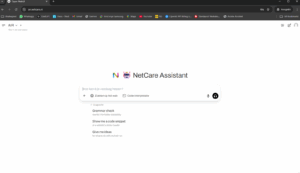
2. Chatbots with Their Own Areas of Expertise (Roles)
OpenWebUI makes it possible to create multiple chatbots, each with its own area of expertise or role. Examples:
- HR Bot: Questions about leave, contracts, and employment conditions.
- IT Support: Help with passwords, applications, and hardware.
- PolicyBot: Answers about company policies and compliance.
- Sales Coach: Information about products, prices, and quotes.
Ready to Get Started or Prefer Assistance?
Want to quickly run a proof of concept? With, for example, OpenWebUI and LlamaIndex, you can often have a demo online in a single afternoon!
Want to set it up professionally, connect it to your existing IT, or does it need to be truly secure?
Fortis AI helps with every step: from selecting the right solution to implementation, integration, and training.
Contact contact us for a no-obligation consultation or demo.
Fortis AI – Your guide to AI, knowledge, and digital security


